

LipiWorld® Remote Control Compatible for Amazon Fire Tv Stick Remote Control (Voice Supported) (Pairing Must) Fire Tv Stick Remote
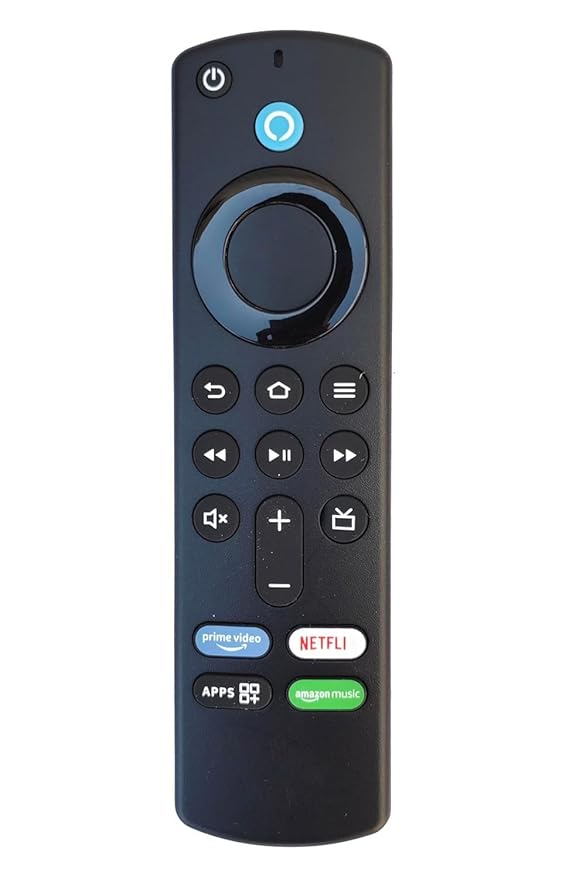
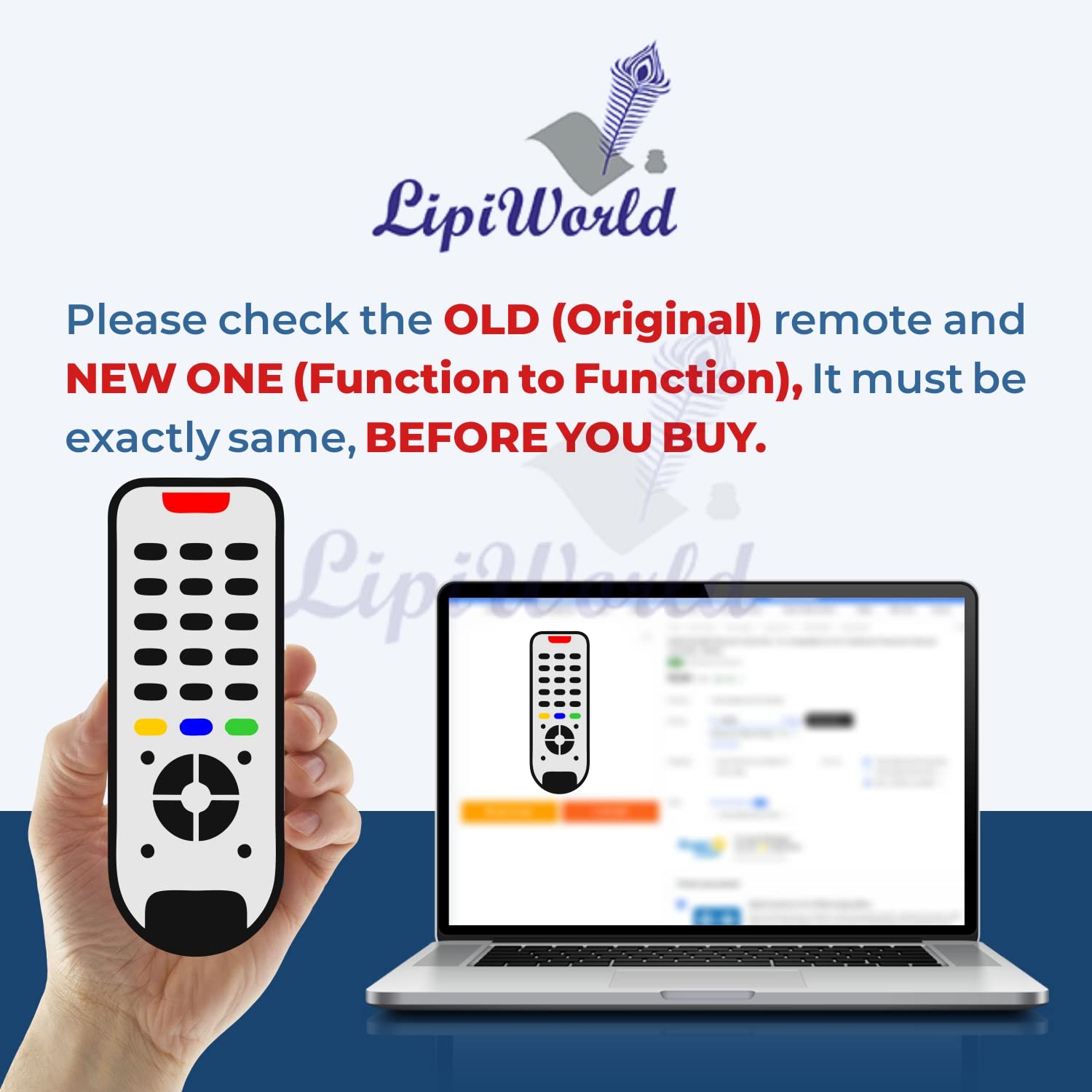
- Please Match The Image With Your Existing Remote Before Placing The Order
- Old Remote Exactly Same to Same Function Remote Will Only Work
- Note: The Power, Mute, Volume+/-key of this remote control is used to control the TV in your home and does not control the Amazon TV stick before it can be used, and the setting method is at the end of the manual
- Note:It might take a minute for your remote to pair with your Fire TV. If itstill doesn’t pair after a few minutes, try to hold down the Home Button for 10 seconds.
- Compatible Device : Amazon Fire Tv Stick Remote (Voice Supported)
₹699.00 ₹1,999.00
Note: The Power, Mute, Volume+/-key of this remote control is used to control the TV in your home and does not control the Amazon TV stick before it can be used, and the setting method is at the end of the manua.,
Note:It might take a minute for your remote to pair with your Fire TV. If itstill doesn’t pair after a few minutes, try to hold down the Home Button for 10 seconds.
Opotion: How to pair Reliecement remote to Your Fire TV (With old remote) If you re trying to pair a new and replecement remote,you can use the old remote to add it into your fire stick manually. Here “s how To pair a replacement remote for your Fire Stick, go to settings> Cotrollers Bluetooth Devices> Amazon Fire TV Remotes> Add New Remote. Then hold the Home Button on your new remote for 10-15 seconds and select the new remote”s name with your old remote to confirm.
Opotion 3: How to pair a Replacement remote to Your Fire TV (With smartphone). If you don”t have a Fire TV remote that works, you can also use your smartphone to add and remove remotes. Firstly, you have to download the “Amazon Fire TV” APP, and connect to remote. Then follow the steps of Opotion 2. If your remote isn”t working. Hare are several ways to pair your Fire TV Stick remote manually, and how you can use the smartphone as remote instead.
Opotion 1: How to pair an Fire Stick Remote (Without old remote) To quickly pair an Fire TV Stick remote, press and hold the Home Button for 10 seconds or until the Light at the top of your remote starts blinking quickly. You will see an on-screen message or the Light on your remote will flash blue three times when it has been paired.
press Home button 10-15 seconds
If the remote doesn”t work, try resetting the remote according to the below steps:
1. Unplug your Fire Stick from the power outlet for 60 seconds.
2. Then press and hold left, menu, and back on your remote for 12 seconds.
3. Next, wait five seconds and remove the batteries from your remote.
4. Then plug your Fire stick back into the power outlet and wait 60 seconds.
5. Next, insert the batteries in your remote.
6. Finally, push the home button on your remote.
Kindly Attention: If you find the power, Mute, Volume+/- doesn”t work with your TV, you may need to use your remote to learn and program through your Fire Stick or Fire TV System. Please follow the instructions as below:
> Setting > Equipment Control
> Management Equipment > TV
> Change TV (Wait for 30 seconds)
> Then choose your Brand of TV
> Follow the prompts to complete the operation
| Weight | 0.2 kg |
|---|---|
| Dimensions | 20 × 8 × 10 cm |
Based on 0 reviews
Be the first to review “LipiWorld® Remote Control Compatible for Amazon Fire Tv Stick Remote Control (Voice Supported) (Pairing Must) Fire Tv Stick Remote”
Related products
-
LCD LED Smart TV Remotes, Sony
LipiWorld® RMT-TX-100D LED Universal Remote Control Compatible for Sony Tv Remote
 LCD LED Smart TV Remotes, Sony
LipiWorld® RMT-TX-100D LED Universal Remote Control Compatible for Sony Tv Remote
- Please Match The Image With Your Existing Remote Before Placing The Order
- Best Quality Plastic Body.Soft Rubber Keypad.
- Before Use Please Use New Battery
- All Products are checked by Testing machine Before Shipment.
SKU: LipiWorld056 -
LCD LED Smart TV Remotes, SKYWORTH
LipiWorld® LCD LED TV Universal Remote Control Compatible for SKYWORTH Tv Remote
 LCD LED Smart TV Remotes, SKYWORTH
LipiWorld® LCD LED TV Universal Remote Control Compatible for SKYWORTH Tv Remote
- Please Match The Image With Your Existing Remote Before Placing The Order
- Old Remote Exactly Same to Same Function Remote Will Only Work
- All Products are checked by Testing machine Before Shipment.
- Before Use Please Use New Battery , Best Quality Plastic Body and Soft Rubber Keypad.
- Compatible Device: SKYWORTH Tv Remote
SKU: LipiWorld035 -
LCD LED Smart TV Remotes, Worldtech
LipiWorld® LCD LED TV Universal Remote Control Compatible for Worldtech LED Tv Remote
 LCD LED Smart TV Remotes, Worldtech
LipiWorld® LCD LED TV Universal Remote Control Compatible for Worldtech LED Tv Remote
- Please Match The Image With Your Existing Remote Before Placing The Order
- Best Quality Plastic Body.
- All Products are checked by Testing machine Before Shipment.
- Compatible Device: Worldtech Led lcd Tv Remote ( Compatible Worldtech Tv Remote )
- Before Use Please Use New Battery
SKU: LipiWorld027 -
LCD LED Smart TV Remotes, Panasonic
LipiWorld® Hexa Boost Netflix Function LED LCD Remote Control Compatible for Panasonic Tv Remote
 LCD LED Smart TV Remotes, Panasonic
LipiWorld® Hexa Boost Netflix Function LED LCD Remote Control Compatible for Panasonic Tv Remote
- Please Match The Image With Your Existing Remote Before Placing The Order
- Before Use Please Use New Battery
- Best Quality Plastic Body and Soft Rubber Keypad.
- All Products are checked by Testing machine Before Shipment.
- Compatible Device: Panasonic LED TV Remote ( Compatible Panasonic Tv Remote )
SKU: LipiWorld1456 -
LCD LED Smart TV Remotes, Sony
LipiWorld® RM-YD102 LED Tv Remote Control Compatible for Sony Tv Remote
 LCD LED Smart TV Remotes, Sony
LipiWorld® RM-YD102 LED Tv Remote Control Compatible for Sony Tv Remote
- Please Match The Image With Your Existing Remote Before Placing The Order
- Best Quality Plastic Body.Soft Rubber Keypad.
- Before Use Please Use New Battery
- All Products are checked by Testing machine Before Shipment.
SKU: LipiWorld057
There are no reviews yet.